![Reveel-Logo-NoTagline-RGB-2.png]](https://help.reveelgroup.com/hs-fs/hubfs/Reveel-Logo-NoTagline-RGB-2.png?height=40&name=Reveel-Logo-NoTagline-RGB-2.png)
The Downloads Page provides access to all available reports on the Reveel Platform, allowing you to apply filters and generate reports tailored to your specific needs.
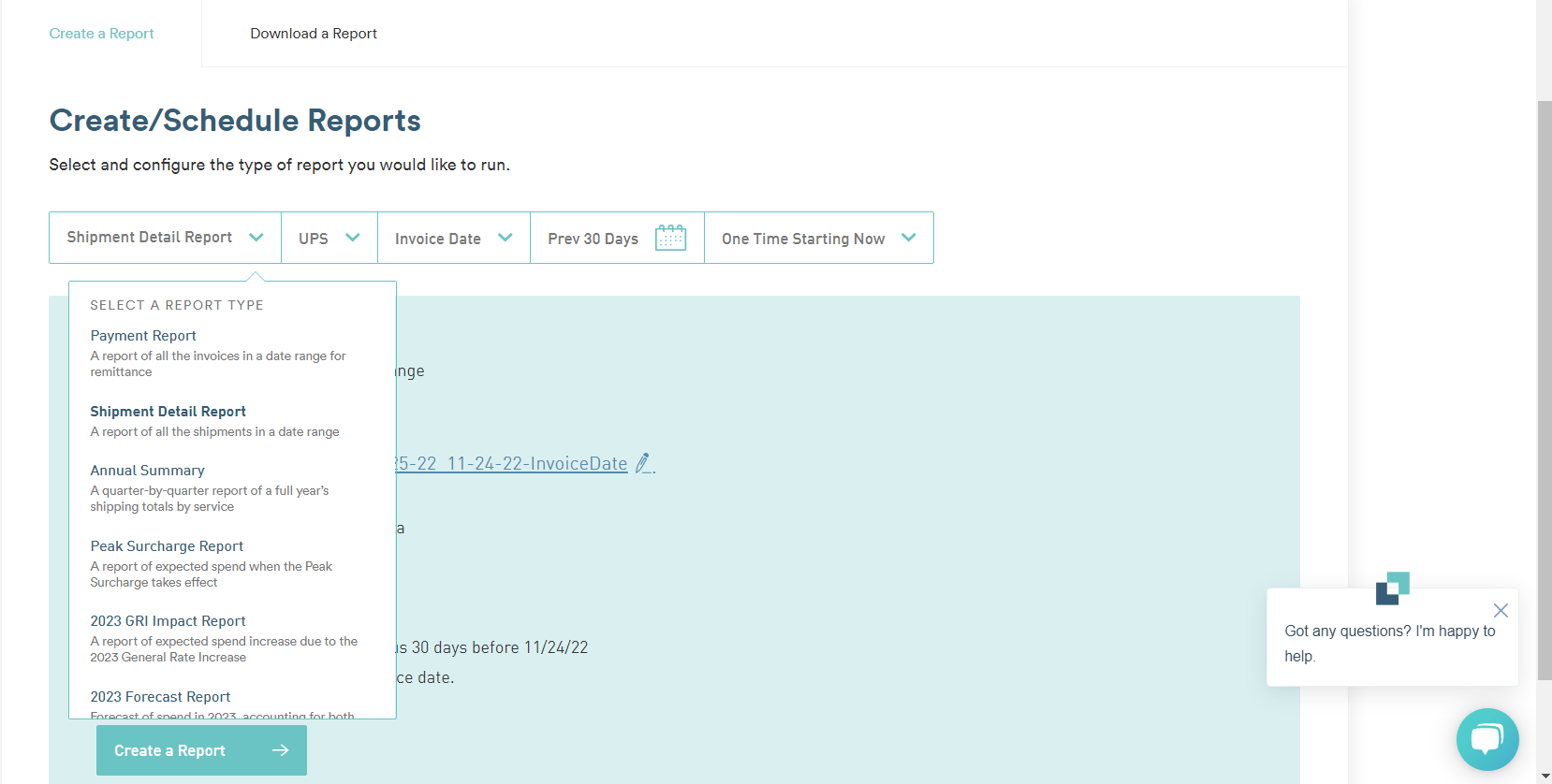
Available Reports:
- Shipment Detail Report - A detailed report showing all the shipment information for the specified date range. It normalizes the data we acquire to make a simpler report to work with.
- Payment Report - A summary report of all invoices for the specified date range.
- Annual Summary - A quarter-by-quarter report of a full year's shipping totals by service.
- Late Payment Fee - A report of all late payment fee applied on the specified date range.
- Actionable Insight - A report of all Actionable Insights of the selected insight type.
- GRI Impact Report - A report of expected spending increase due to the coming year's General Rate Increase.
- Forecast Report - Forecast of spending for the incoming year, accounting for both the General Rate Increase and any recently signed agreement
- UPS Chargeback Report - A report that will show your chargebacks from UPS.
- Audit Credit Report - A report that will show all credits in the Reveel system and its status, whether it is approved/credited, pending, rejected and the reason behind that status.
- Address Correction Report - A report showing all shipments that incurred an address correction charge.
- Dimensional Weight Billing - A report showing all shipments being billed by dimensional weight.
From your home page, click on the Downloads tab.
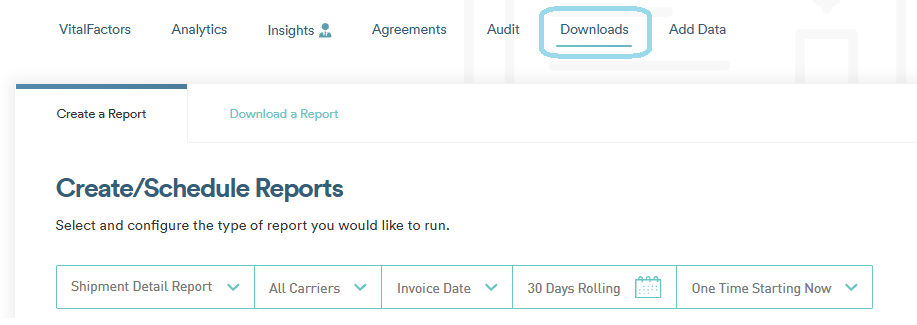
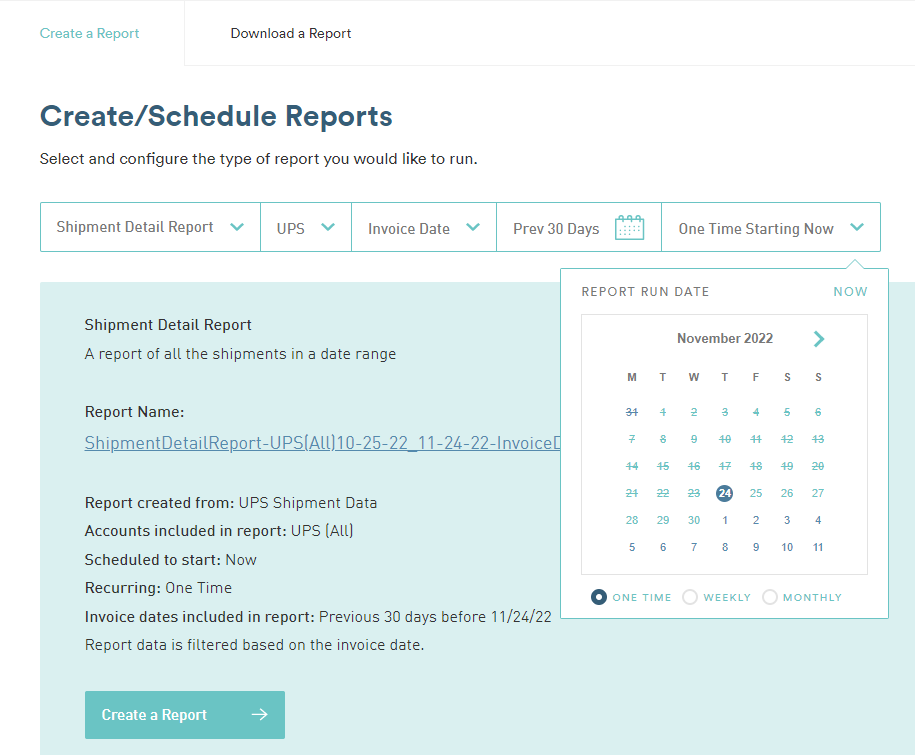
This page allows you to run customized reports off the raw carrier invoice files.
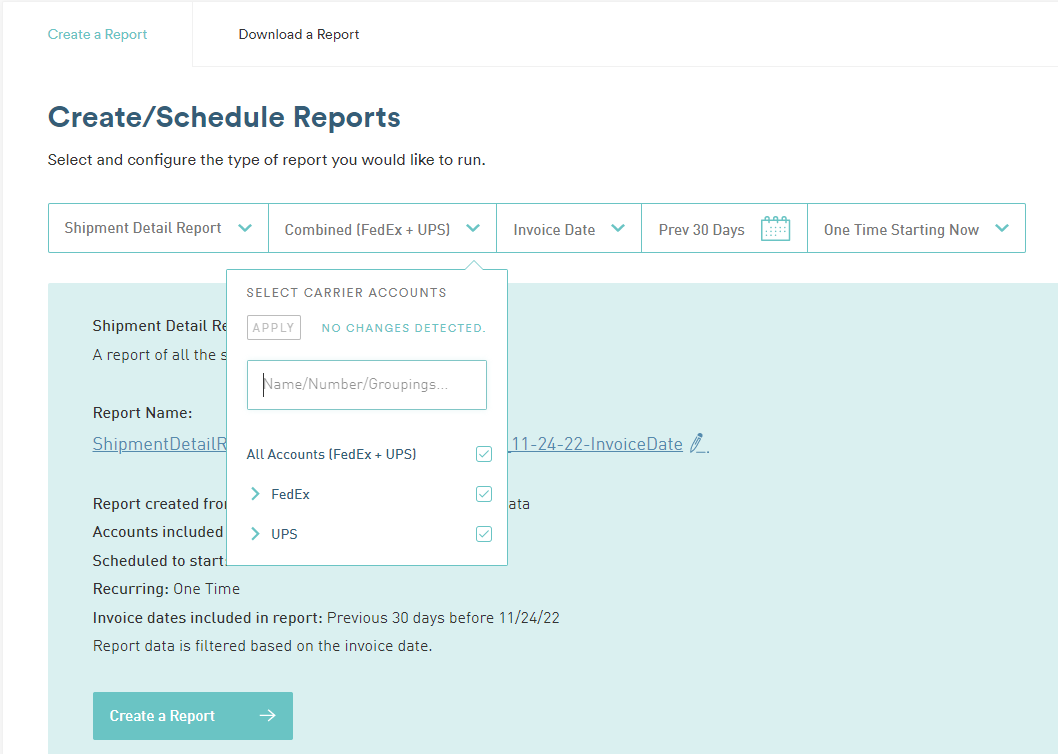
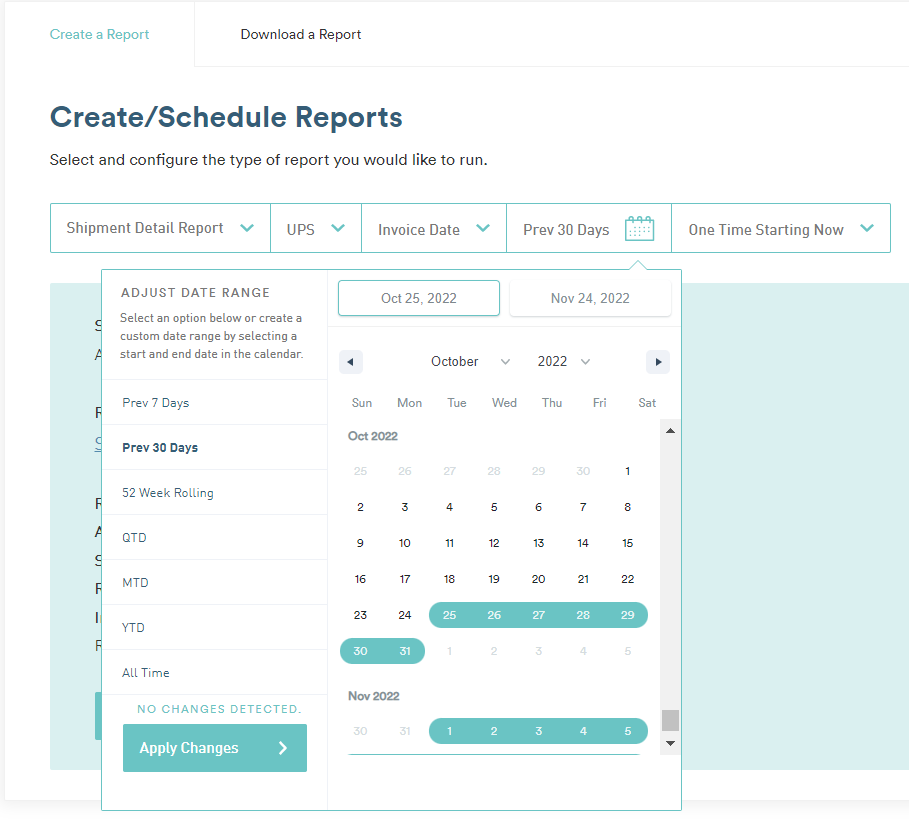
You can run nine types of reports. You can customize the report by changing the report's carrier , date range, and frequency (schedule).
For assistance with any of these reports, reporting features, or to request a custom report not yet available on the Reveel Platform, please contact our customer Support Team at support@reveelgroup.com.