![Reveel-Logo-NoTagline-RGB-2.png]](https://help.reveelgroup.com/hs-fs/hubfs/Reveel-Logo-NoTagline-RGB-2.png?height=40&name=Reveel-Logo-NoTagline-RGB-2.png)
To Locate the Credit/Refunds from FedEx Billing OnLine, Follow these steps:
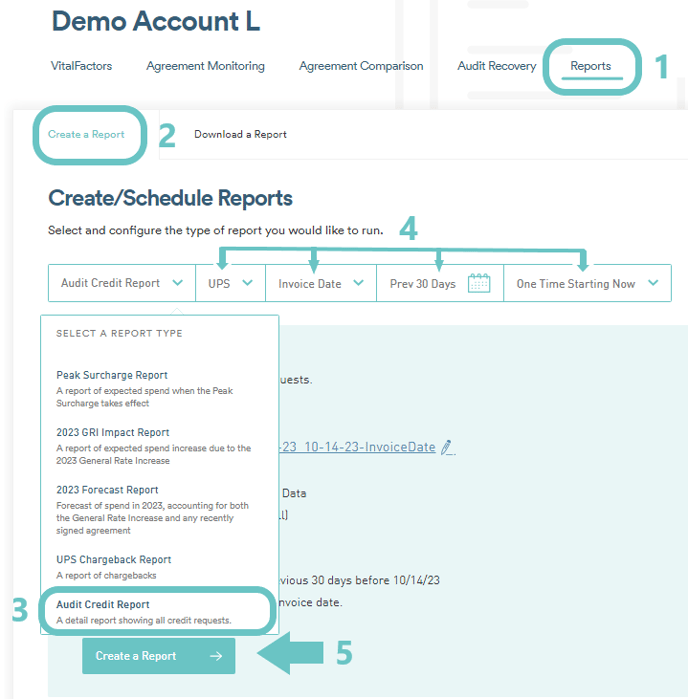
- Generate the Audit Credit Report from the Reports Page of the Platform and choose the needed filters
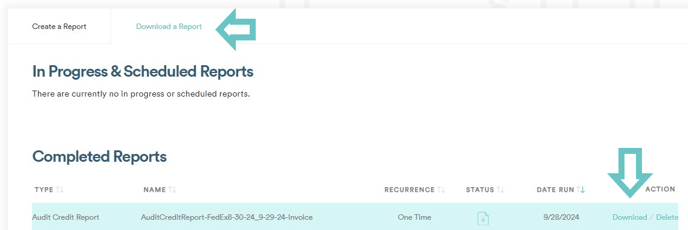
- Download and Access the Report from the Download a Report Tab
- From the downloaded file, you can see details such as Tracking ID, Invoice number, Refunded Amount and the Status. You can also see the Tracking number from the Audit Recovery Page from the Reveel Platfrom then click on the Audit cards.

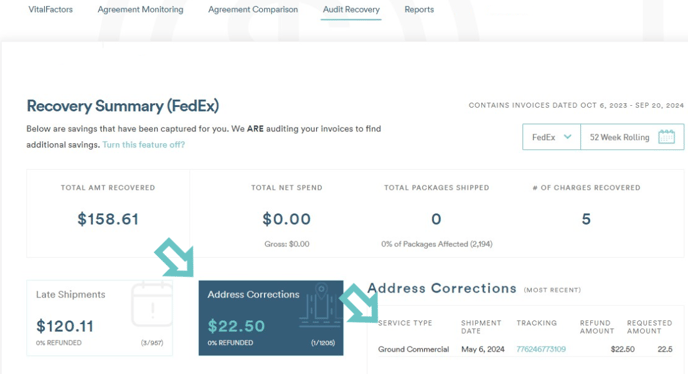
To Locate the refund from FedEx Billing Online:
1. Login to FedEx Online https://www.fedex.com/en-us/home.html
2. Click "Invoices
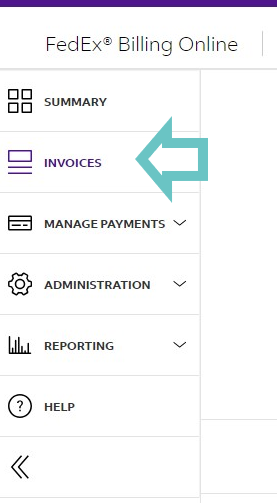 3. Using the search option (Magnifying Glass Icon), Put in the invoice number.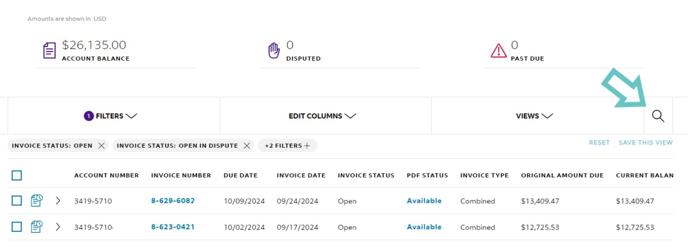
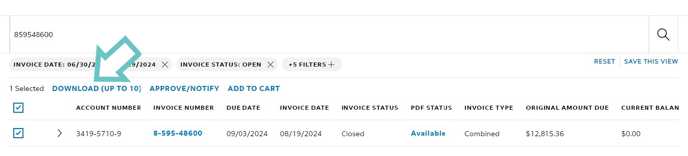
4. From the Search Results, Put a check on the check box and click Download.
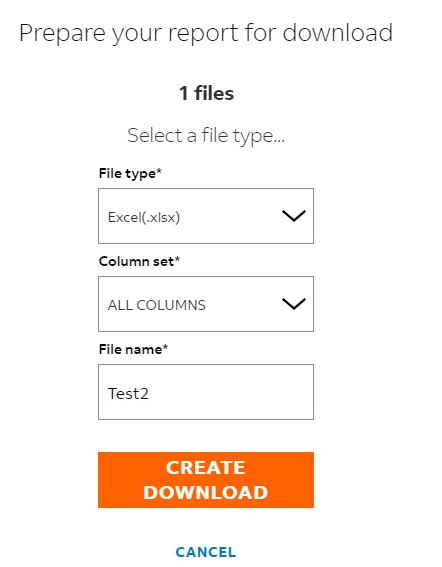
5. Select the needed File Type, Column set and Type in the File Name
6. You will be routed the the Download Center. The Status will initially be on Pending.
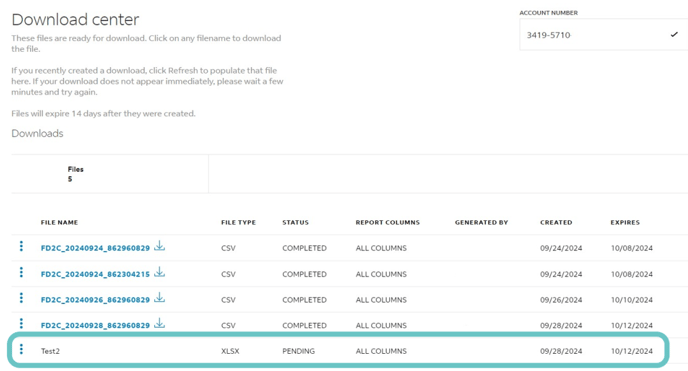
7. Click Refresh and it should be downloadable.
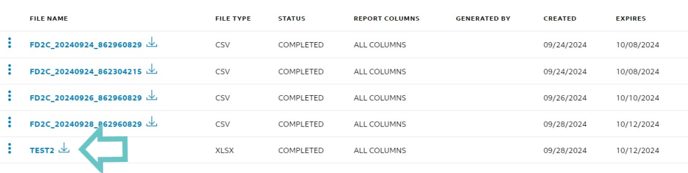
8. From the downloaded file, you should see the amount associated with the Refunds under Column EI
